









In design, producing prototypes is like breathing: it’s essential, instinctive, and often done without even thinking. Yet there’s a curious paradox in the design world: as prototyping becomes more powerful and accessible, a subtle form of procrastination sometimes creeps into the creative process. Designers — especially those deeply passionate about their craft — can spend hours crafting iteration after iteration, seemingly refining but sometimes unwittingly delaying real progress.
This article explores whether too much prototyping is a form of procrastination, why it happens, and how designers – from UX practitioners to product innovators – can balance productive iteration with decisive progress.
What Is Prototyping in Design (and Why It Matters)?
At its core, a prototype is a tangible expression of an idea — the first sketch, the clickable mock-up, the functional model that makes a concept real enough to evaluate. In design thinking and agile workflows, prototyping serves as a bridge: connecting abstract ideas to observable user experiences. It’s a critical step because it allows designers to test assumptions, reveal hidden problems, and gather early feedback. Without prototypes, teams risk committing to ideas that might never work in reality.
Prototyping comes in many forms and fidelities: from low‑fidelity paper sketches and wireframes to high‑fidelity interactive models. Each level has a purpose. Low‑fidelity prototypes help validate broad concepts quickly, while high‑fidelity versions are closer to production quality, used for usability testing and stakeholder feedback. What unifies them all is their role in learning rather than merely illustrating.
The Productivity Paradox: When Prototyping Becomes a Delay Tactic
The traditional view of procrastination is simple: putting off important tasks in favor of less urgent, often less meaningful ones. In design, prototyping is important, but it can become a refuge for indecision — a way to stay busy while avoiding deeper, tougher decisions.
So how does this manifest?
1. Endless Refinement as Avoidance
Many designers fall into the habit of endlessly refining prototypes. There’s always another detail to polish, another interaction to tweak, another scenario to simulate. At some point, the prototype stops being a testbed and starts being a distraction — a comfortable place where a designer can make progress without ever needing to justify direction, finalize scope, or confront difficult feedback.
This endless refinement can masquerade as productivity. It “feels” like work: screens are crafted, interactions are animated, flows are detailed. But without clear goals and deadlines, it can delay the crucial steps of testing, decision‑making, and implementation.
2. Fear of Failure and Perfectionism
Perfectionism is another driver of excessive prototyping. Designers often want their vision to be just right before showing it to others — clients, stakeholders, developers, or users. But because prototypes function as representations of ideas, they can inadvertently become objects of pride. The better the prototype looks, the harder it becomes to receive critical feedback without emotional resistance. This creates a tension that extends the prototyping phase indefinitely rather than shortening it.
3. Feedback Loops That Never Close
In theory, feedback is a reason to prototype — to learn what works and what doesn’t. In practice, every prototype prompts feedback, which leads to a revised prototype, which leads to more feedback, and so on. Without disciplined stopping rules, this cycle can continue indefinitely.
Some design methodologies acknowledge this problem. For example, design sprints and rapid prototyping frameworks explicitly set time‑boxed periods for creating and testing prototypes to avoid infinite loops of iteration and extension.
Is It Really Procrastination, or Smart Risk Reduction?
It’s important to nuance this discussion: not every extended prototyping cycle is procrastination. Sometimes designers create many prototypes because they are responsibly exploring uncertainty. In other words, iterative prototyping is not inherently procrastination — it’s only problematic when it obstructs progress rather than accelerates learning.
Here are reasons why extensive prototyping might reflect smart work:
1. Exploring Unknowns in Complex Problems
Some design challenges are genuinely complex, with many unknowns that can only be resolved through experimentation. In these cases, multiple prototypes help clarify requirements, expose edge cases, and reveal hidden assumptions. This is especially true in UX, interaction design, and human‑centered solutions where user behavior and context are unpredictable.
2. Prototypes as Communication Tools
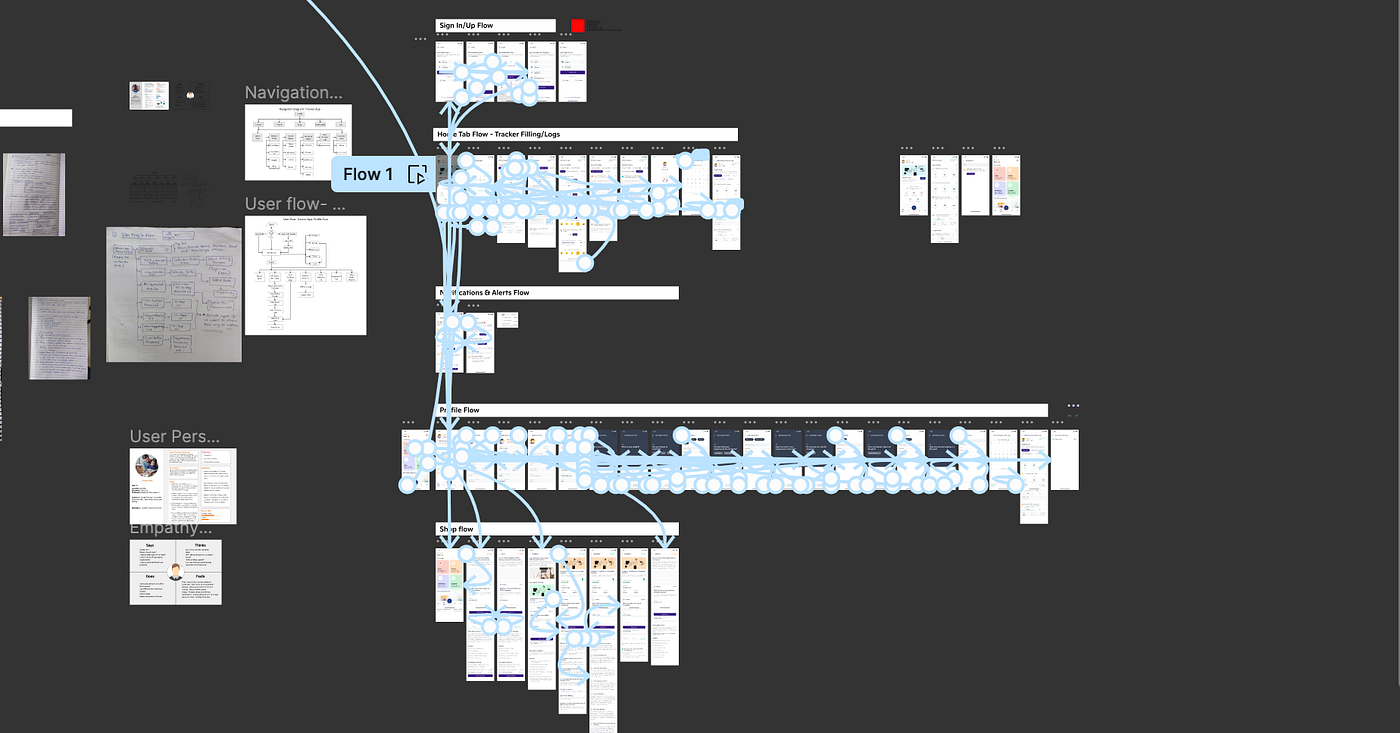
Prototypes are also communication artifacts: they help align teams, unlock discussions, and ensure everyone is on the same page before expensive implementation begins. When prototypes serve these roles effectively, they are not delay tactics but facilitators of collaboration.
3. Learning Through Iteration
There’s a well‑documented pattern in creative work where early iteration and exploration lead to richer ideas later. In some cases, the time spent on prototyping can actually improve overall project speed by preventing costly rework later. Indeed, some managers argue that procrastination — when it takes the form of creative incubation — can fuel innovation and better business outcomes.
So Where Is the Line Between Productive Prototyping and Procrastination?
To distinguish useful prototyping from procrastination, we need to look not at quantity but at purpose and outcome.
Here are key ways to tell the difference:
1. Time‑boxing and Clear Goals
Productive prototyping has clear parameters: “By this date, we will demonstrate X concept.” Without deadlines or goals, prototypes can drift into busywork. Setting time limits and specific questions to answer helps keep prototyping grounded in learning objectives.
2. Defined Learning Objectives
Every prototype should have a clear hypothesis or question it’s intended to test. If a new prototype doesn’t answer a defined question or expand understanding, it might be an excuse to stay in the comfort zone of creation rather than challenge.
3. Rapid Feedback and Iteration Cycles
Productive prototyping doesn’t just accumulate versions — it triggers feedback and decisions. After each prototype, teams should ask: what did we learn? what decision can we make now? If feedback doesn’t lead to decisions or make the next phase clearer, then the cycle may be stalling.
4. Balance Between Fidelity and Purpose
Low‑fidelity prototypes are quicker and cheaper but may lack nuance. High‑fidelity prototypes are more detailed but often take much longer to build. Experienced designers know when fidelity is necessary and when it’s a distraction — unlike endless tweaking that doesn’t add new insight.
The Psychology Behind Prototyping as Delay
What psychological forces are at play when designers create too many prototypes?
Risk Aversion and Overconfidence
When a designer feels the need to get it right before presenting it, that’s risk aversion. Simultaneously, deeper prototypes can create overconfidence — a belief that if something looks polished, it must be correct. Both habits slow progress and reduce openness to critique.
Sunk Cost Fallacy
The more time you invest in detailed prototypes, the harder it becomes to abandon them. This is the classic sunk cost fallacy: the desire to justify past effort rather than pursue better results.
Creative Identity and Ego
Prototypes can become extensions of the designer’s identity — something to be proud of. When creativity and ego slant decisions, practical deadlines become negotiable.
Understanding these psychological patterns helps teams design processes to mitigate them: explicit review checkpoints, external feedback loops, and clear staging gates between prototypes and decisions.
Case Studies: When Too Many Prototypes Held Projects Back

Consider a UX team tasked with redesigning a mobile app. The team produced countless screen prototypes in high fidelity, each one slightly different from the last. Weeks passed before any user testing occurred. By the time they did test, early feedback revealed basic flow issues that could’ve been detected with a simple, low‑fidelity prototype. What happened? The team’s attachment to detailed prototypes delayed real learning.
In product design, similar patterns occur. If engineers or product managers are waiting on “final” prototypes that never solidify into actionable feedback, development stalls. Endless versions become noise, not clarity.
Strategies Designers Use to Avoid Prototyping Pitfalls
If making too many prototypes can delay progress, how can designers adjust their approach? Here are disciplined strategies:
1. Use “Prototyping With Intent”
Start every prototype with a question — not a version. Ask: What uncertainty does this prototype resolve? If the answer isn’t clear, reconsider whether building it is necessary.
2. Lean on Low‑Fidelity First
Early in the process, stick to the simplest possible representations. Quick sketches, paper prototypes, or low‑fidelity wireframes help reveal core assumptions without heavy design investment.
3. Set Explicit Prototype Goals
Before building, document what you hope the prototype will show and by when. Make it part of a sprint or review cycle so you know when to stop.
4. Schedule Feedback Rapidly
Make testing and feedback part of the design rhythm. After each prototype, hold short sessions with stakeholders or users to assess learnings and next steps.
5. Build a Culture of Iterative Acceptance
Teams that celebrate early and rough prototypes — rather than polished ones — tend to move faster. The goal is clarity, not prettiness.
Prototyping in the Age of AI and New Tools
Today’s tools — especially AI‑assisted design systems — make creating prototypes faster than ever. While this accelerates learning and reduces friction, it also raises the risk of generating too many versions too rapidly.
AI can automate multiple iterations, offer variations on demand, and virtually eliminate technical barriers. But without clear goals, this power can amplify procrastination. Designers must therefore pair new tools with disciplined frameworks: decide what questions each iteration answers and what constitutes enough insight to move forward.
For example, an AI might generate ten layout variants in minutes — but if the team doesn’t know what user feedback they’re seeking, the extra versions add little value.
Reframing Prototyping From Work to Learning
The shift that separates productive designers from stalled ones is a mindset change: instead of seeing prototypes as work to complete, view them as learning instruments. When each prototype is a method for testing a hypothesis, not a display of skill, the path becomes clearer.
Designers with this mindset ask:
- What assumption does this prototype challenge?
- What decision can we make after seeing it?
- Is this the most efficient way to gather that insight?
This learning mindset keeps prototyping focused on progress rather than perfection.
Conclusion: The Balance Between Iteration and Progress
Making prototypes is essential in modern design workflows — it helps reduce risk, clarify ideas, and align teams. However, producers of prototypes must be wary of using them as substitutes for decisive action. Excessive prototyping — especially without defined goals, deadlines, or feedback loops — can act as procrastination in disguise.
The solution is not to stop prototyping, but to prototype smartly: with clear hypotheses, time‑boxed iterations, rapid feedback, and a disciplined understanding of what counts as progress.
A prototype’s purpose isn’t to be perfect — it’s to be revealing. By keeping that purpose front and center, designers can leverage prototypes as tools for discovery, not distractions from delivery.